
Product Setup at Simply Cue
Welcome to Simply Cue! Whether you’re launching a digital product, course or consultation, this guide will walk you through each step to make sure your offering is ready for the world. Let’s get started!
Step 1: Go to the Product Listing Page
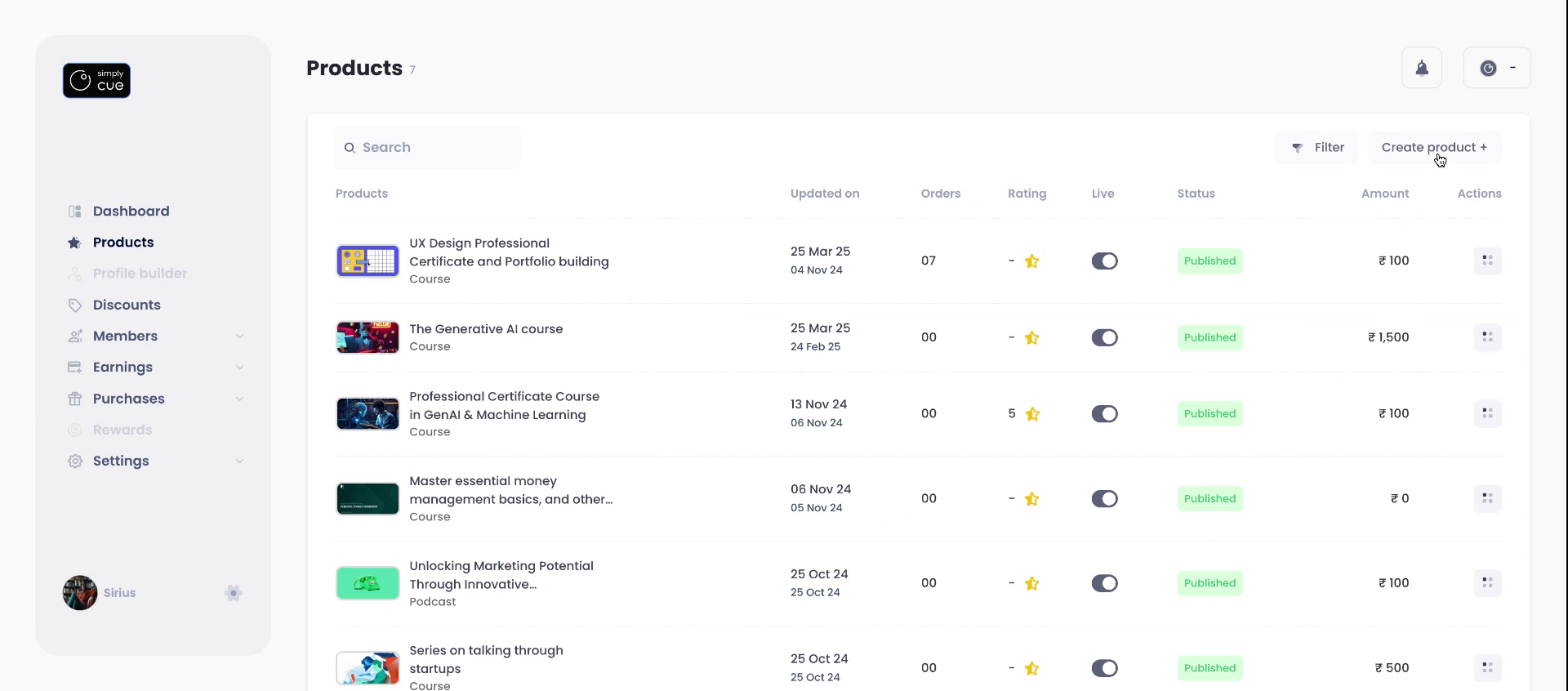
- From your dashboard, head to “Product Listing” using the left-hand menu.
- Click the “Create Product” button at the top right of the page.
Step 2: Fill in Basic Details
A short setup form will pop up. Here’s what to do:
- Add your Product Name
- Set your Price (between ₹50 to ₹2,00,000) and the type of payment from 3 options:
- One-time
- Subscription
- Part-payment
- One-time
For more details on the type of plan and pricing, refer to our pricing article.
- Choose a Product Type:
Note: Once selected, the product type cannot be changed later.
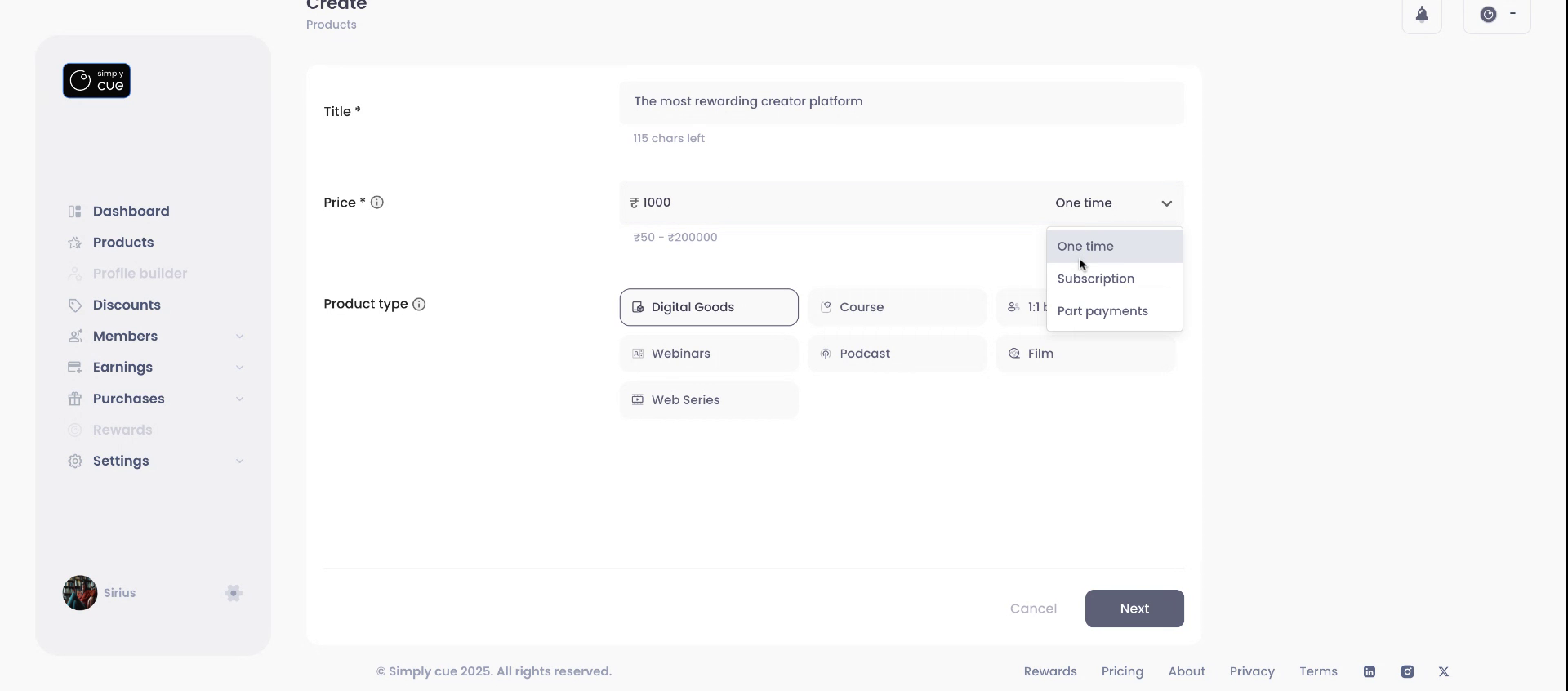
To proceed with the setup. Click on Next at the bottom right corner.
Step 3: Add Product Information
This is your chance to tell your audience what the product is all about!
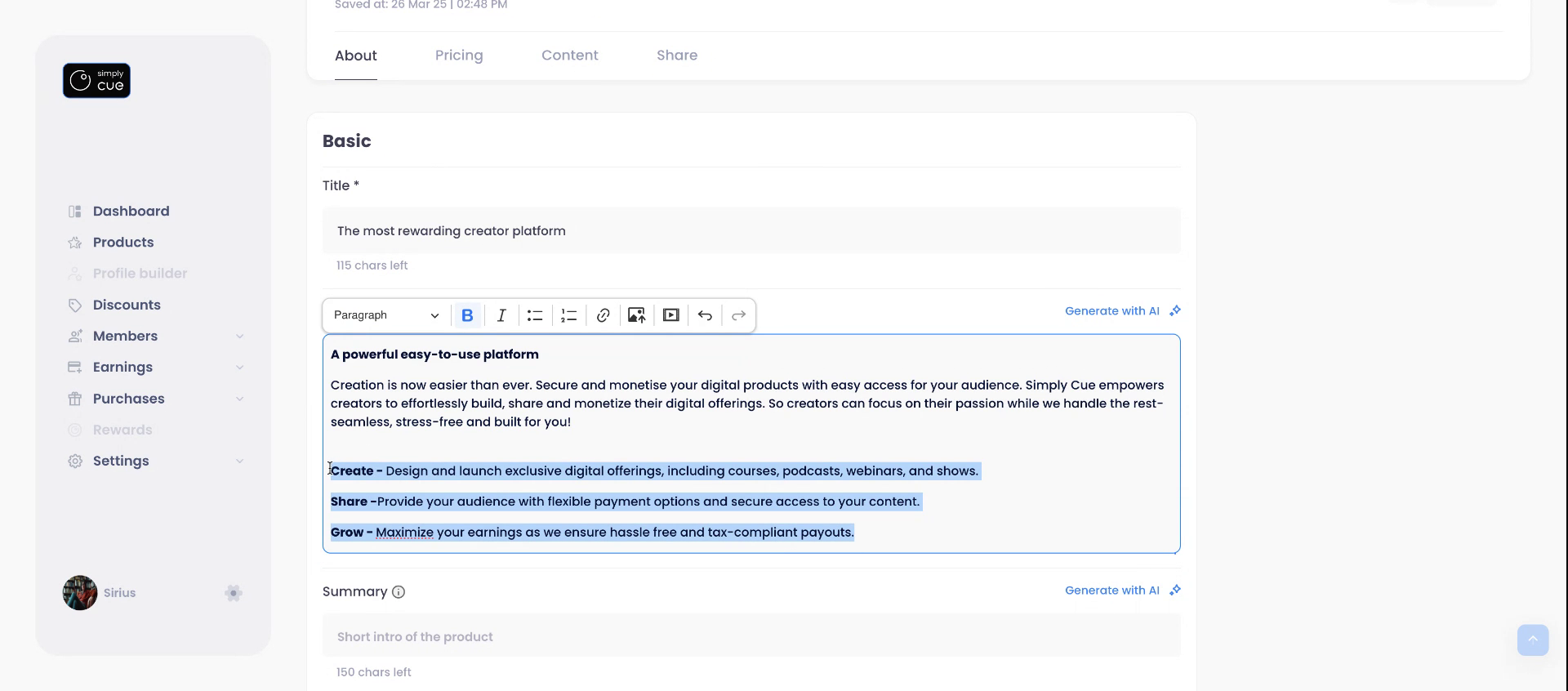
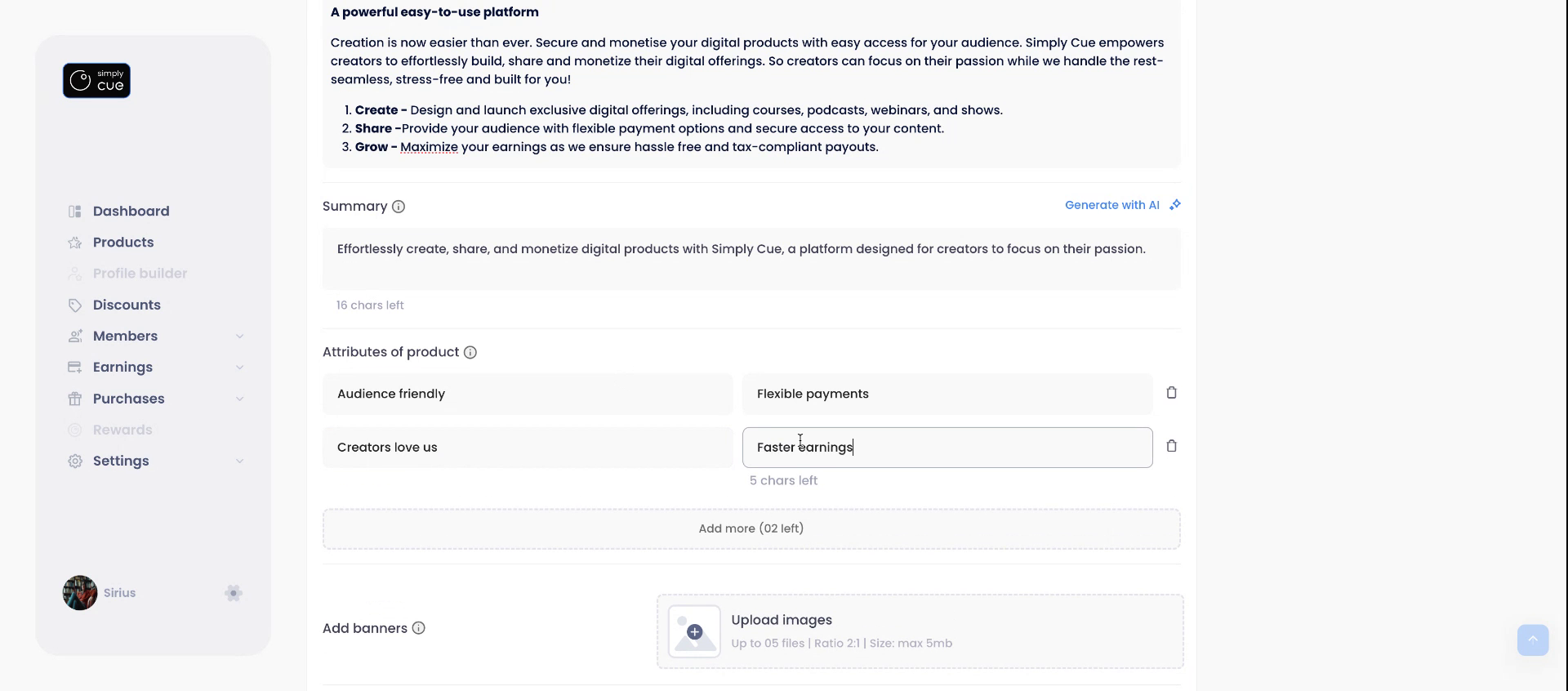
- Update or edit your product title
- Use the Rich Text Editor to craft a detailed and formatted description
- Try our AI tools to auto-generate summaries and descriptions (save time and sound good!)
- Add up to 4 Key Attributes (these help members (buyers) quickly understand what you’re offering) e.g. self-paced learning, complimentary e-book etc.
- Upload up to 5 Banners (ideal ratio: 2:1) to make your page look sharp
Click Save when you’re happy with the content.
Step 4: Personalize Your Product
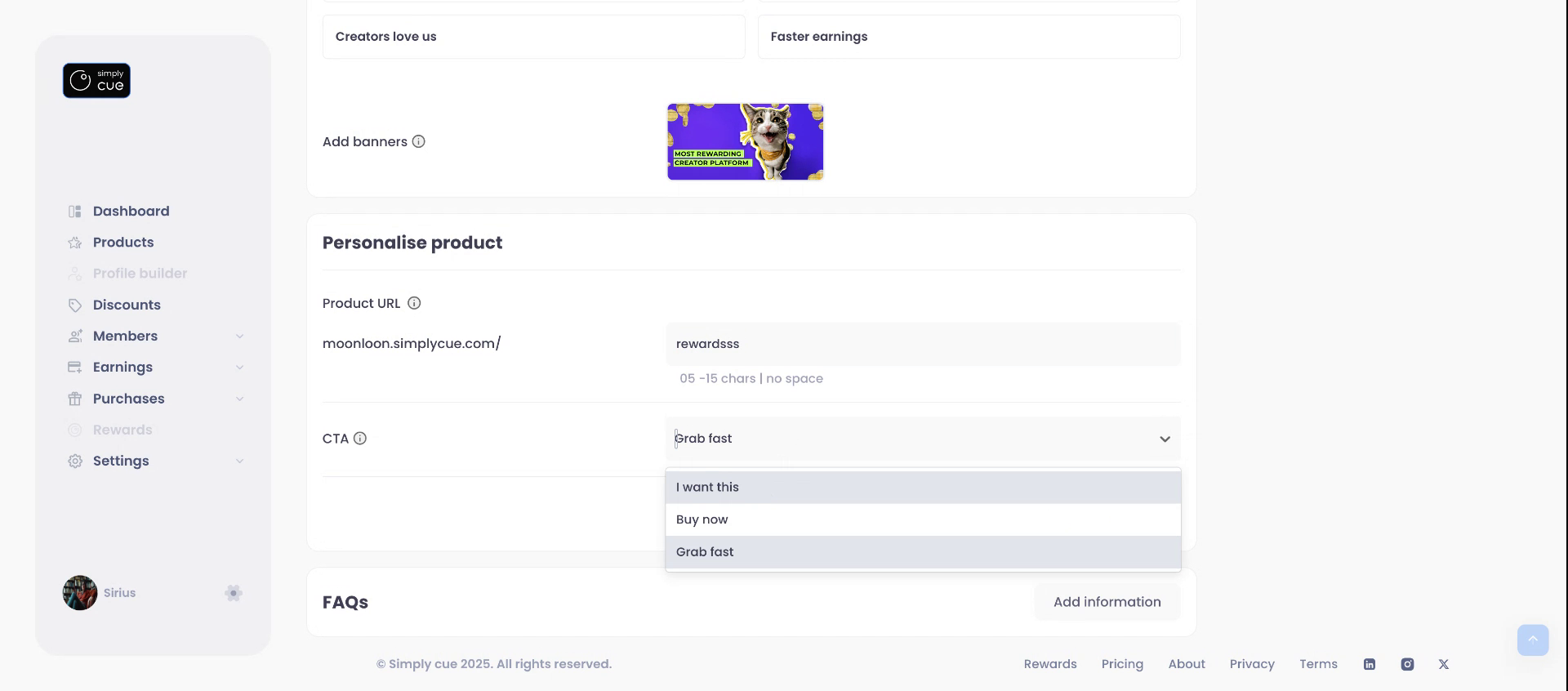
Make it match your brand!
- Customize your Product URL
- Choose your Call-to-Action (CTA) button text from the dropdown options
Step 5: Add FAQs
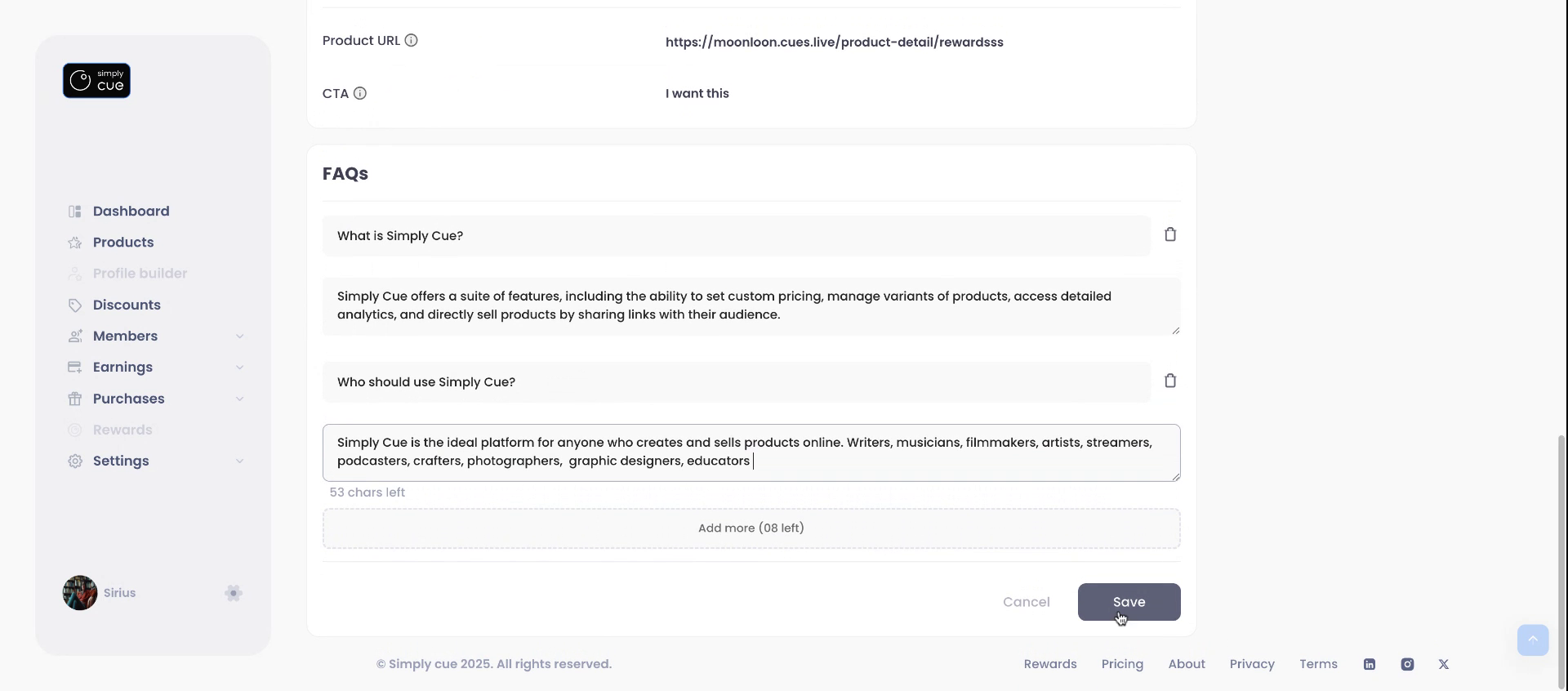
Build buyer trust by answering common questions.
- Add up to 10 FAQs specific to your product
Step 6: Final Review & Publish
You’re almost there!
- Preview your product as it will appear to members
- If everything looks great, click Publish
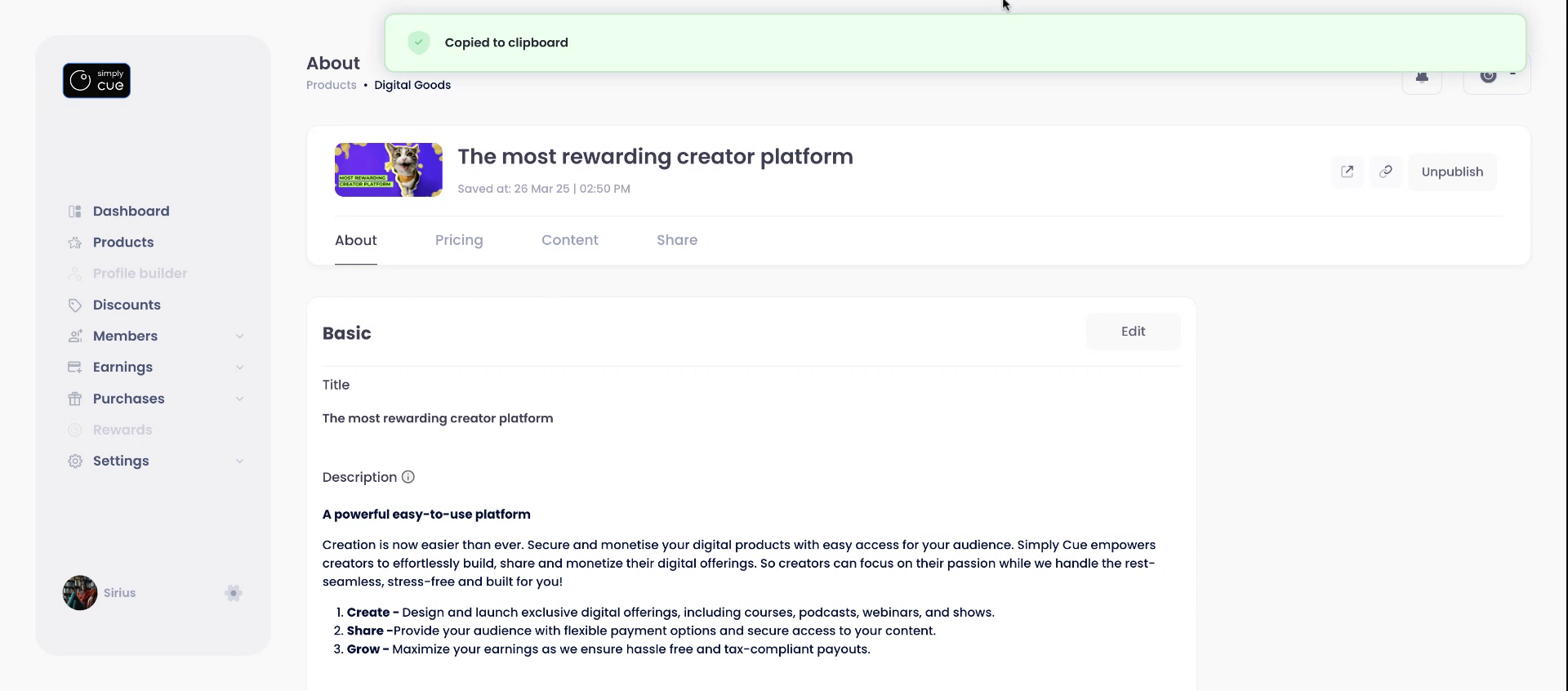
Congrats! Your product is live and ready to sell.
Copy your product link and start sharing it with your audience via direct/group messages, link in bio or mailers.


